RAHWE Integrations & API · Platform
Plays well with the tools you keep.
Without it
Sound familiar?
Leads from ads are copied in by hand.
Calendars and mailboxes do not talk to your CRM.
Custom tools cannot reach your data safely.
What you get
Everything in Integrations & API
Mail and calendar
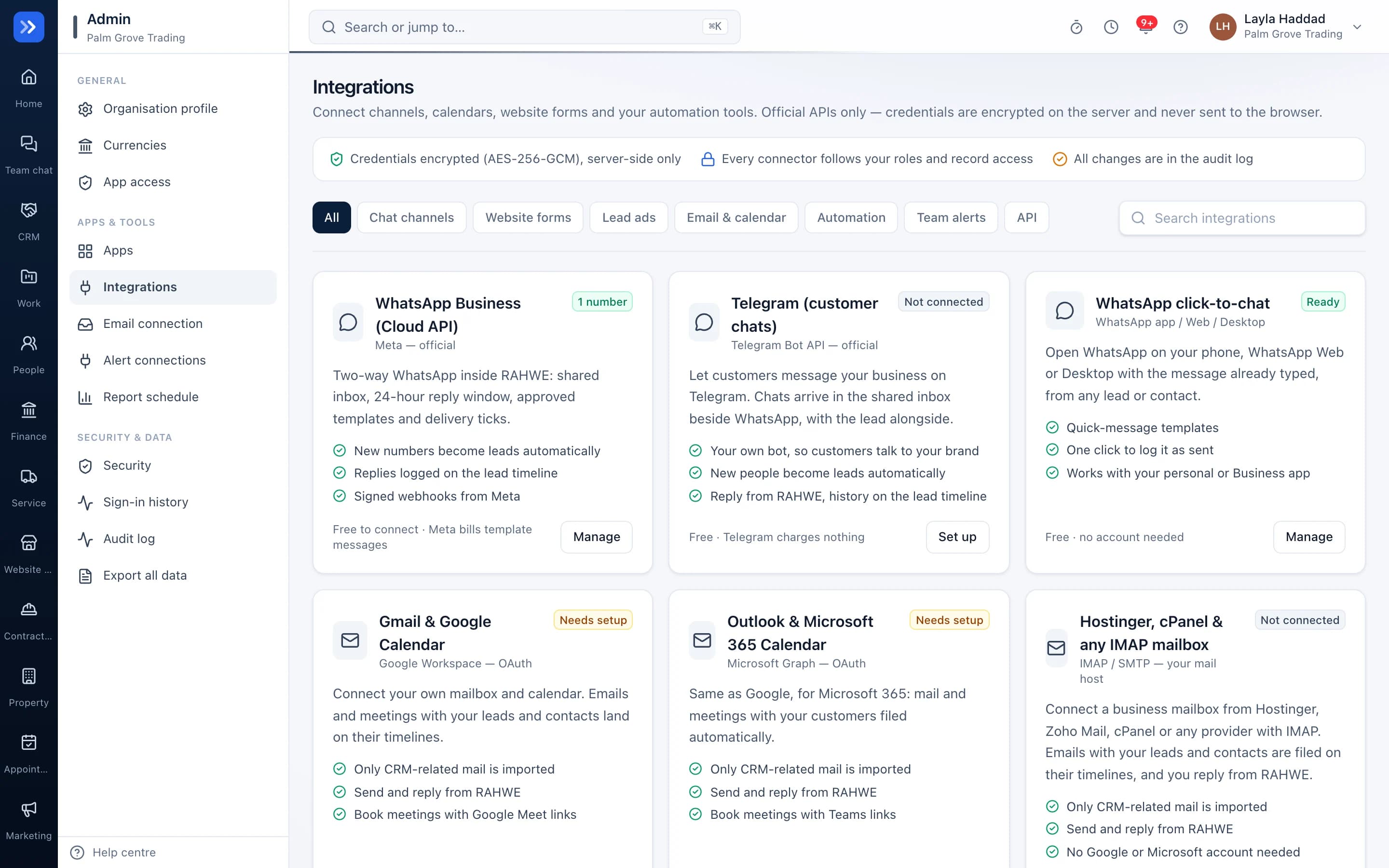
Gmail, Outlook and any IMAP mailbox, plus a calendar feed for your meetings and follow-ups.
Lead forms
Meta lead ads, Google Ads lead forms and your website forms arrive as leads instantly.
Messaging
WhatsApp Business Cloud API and Telegram bots for the shared inbox and alerts.
REST API and webhooks
Keys with limited permissions, and signed webhooks when records change.
AI assistant connector
Let an AI assistant read and update your records through a secure connector that respects each person's permissions.
Google and Microsoft sign-in
Single sign-on with your company accounts.
How to use it
Up and running in 3 steps
The screen names match what you see in the app.
- 1
Open Integrations
Integrations
See every available connection and its status.
- 2
Connect
Integration card
Sign in to the service and choose what to sync.
- 3
For developers
Integrations → API
Create a key with limited permissions, or add a webhook.
Who uses it
Made for the people doing the work
Marketing
Leads from ads arrive with their source.
Developers
Build on RAHWE with the API and webhooks.
How it flows
One step leads to the next
- 1Choose a connection
- 2Sign in to that service
- 3Pick what to sync
- 4Data flows both ways
- 5Every change logged
Works with
Better with the rest
Turn these on and they share the same customers, staff and records. Leave them off and Integrations & API still works on its own.
Questions
Questions about Integrations & API
Are there limits on the API?+
Yes. Fair-use rate limits protect the service for everyone.
Can I limit what an API key can do?+
Yes. Each key has its own permissions and can be revoked at any time.
Try RAHWE Integrations & API.
Switch on Integrations & API alone or with the rest of the apps.