RAHWE Appointments · Operations
Online booking that cannot double-book.
Without it
Sound familiar?
The phone rings all day for simple bookings.
No-shows leave empty slots.
Consent forms and treatment plans are on paper.
What you get
Everything in Appointments
Booking page
Clients choose a service, a person and a genuinely free time, and get a confirmation by email.
No double-booking
The database itself refuses two bookings for the same person at the same time.
Client files
Visits, alerts, notes, treatment plans and consent with a typed signature.
Packages
Prepaid bundles that use a session each time a visit is completed.
Reminders
Automatic email reminders with a link to cancel or rebook.
Reminders
Automatic reminders cut no-shows, with a link to cancel or rebook.
In action
Watch Appointments at work
A real screen recording with a sample company.
How to use it
Up and running in 4 steps
The screen names match what you see in the app.
- 1
Add services and team
Appointments → Services, Team
List what you offer, how long it takes, the price, and who provides it, with working hours.
- 2
Open your booking page
Appointments → Settings
Turn on your public booking page and share the link on Instagram, WhatsApp and Google.
- 3
Clients book themselves
Booking page
They choose a service, a person and a free time, and get a confirmation.
- 4
Run the day
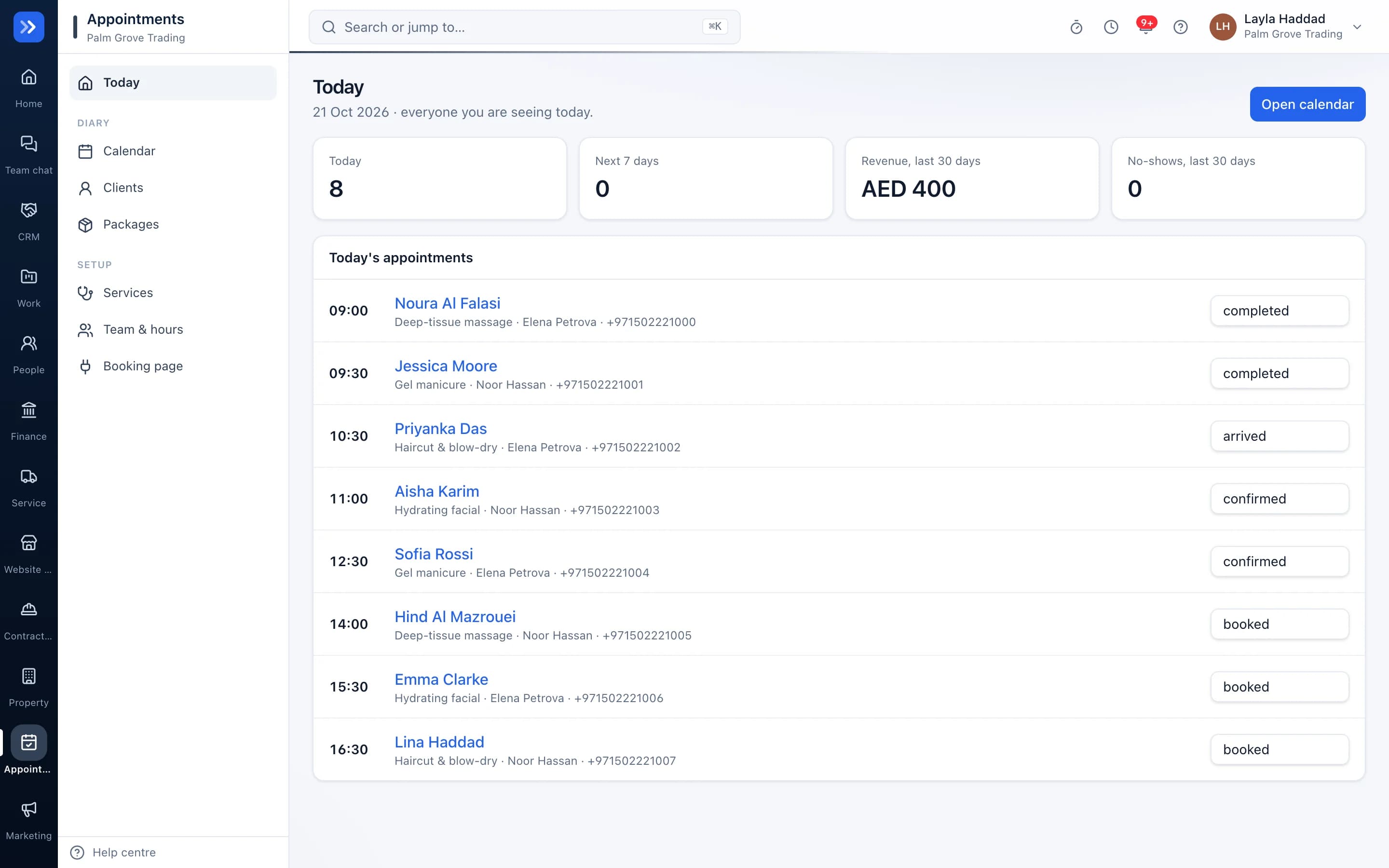
Appointments → Today
See arrivals, record treatments and use package sessions.
Who uses it
Made for the people doing the work
Dental and medical clinics
Fill the diary and keep records private.
Salons and spas
Take bookings from Instagram and sell packages.
Consultants
Share one booking link.
How it flows
One step leads to the next
- 1Client books online
- 2Reminder sent
- 3Arrives
- 4Treatment recorded
- 5Package used
- 6Review requested
Works with
Better with the rest
Turn these on and they share the same customers, staff and records. Leave them off and Appointments still works on its own.
Questions
Questions about Appointments
Can reception see clinical notes?+
Not unless you give their role the records permission.
Do clients need an account?+
No. They book with a name and phone number.
Can I block time off?+
Yes. Working hours and time off per person decide what can be booked.
Try RAHWE Appointments.
Switch on Appointments alone or with the rest of the apps.